Anyone here who was into case modding back in the 2000s? I ran a semi-popular German case-modding website and forum 19 years ago.
We put windows in our boring grey computer cases and bought blue LEDs for 2 EUR a piece to light up the internals. As LEDs were so expensive we often opted to use CCFL tubes. We put electroluminescent wire everywhere, even into keyboards. We built our own fan controllers from scratch to fit into a 3.5" slot. People payed 200 EUR for PC cases from LIAN LI and Cooler Master just to mod the shit out of them. Watercooling just became a thing and it was hugely expensive, the PC cases didn't have a place for the radiators so you had to get creative with your power tools. We went to LAN parties with our awesome machines, we organized collective orders in our case modding forums to buy cheap LEDs from china. We were amazed by the latest products, like LED fans that flashed the light in synchronization with the fan RPM like a zoetrope, so it appeared to stand still.
We couldn't even dream of a keyboard with individually RGB keys back then and now you get RGB in everything without even wanting it. Mass production has taken over and all the magic is gone. You just buy it and yeah it looks cool, but whats the fun in that if every PC looks the same - thats exactly what we didn't want, we wanted to be different.
I even currently run one of these: https://koolance.com/pc2-601bw-liquid-cooling-system-black - I've had to replace the pump this last week. It didn't die, but the plastic got brittle and cracked. I ran it, without flushes, adding tap water when low, for about 18 years. No corrosion, all liquid looked great! I modified the old Swiftech WB to mount to my 3930K, overclocked to 4.5GHz and am typing on that system right now! If you're curious, it tops out at about 75*C at ~150W CPU power usage.
I still have a CCFL (and my $5 blue LED to replace the power light), and have been thinking of incorporating it into my next build. I plan to build a sleeper system using a case from the 90's, but fully watercooled and upgraded (along with an ESP32-powered fan control/thermal monitoring system I'm coding up now - this is where the magic still is in 2021 IMO)
I also did cut a window into a PC with a dremel. Those cases are quite thick and hard to cut! I totally don't miss hauling that big PC case and a 17 (or 19?) inch CRT to a friends place to LAN. Was really fun, though.
I was too young to really get into case modding at the time, but I went to a Linux users group event at our local college around 2006. Up until that point I had only used Linux as a live CD on my dad's computer, so when I saw the rigs people were showing off my jaw dropped. They'd ditched the beige and black I was used to for silver, blue, purple etc. with lights glowing inside case windows.
The one that left the biggest impression on me had backlit tubes on either side of the case front with bubbles flowing up, and the owner was demonstrating the Compiz cube and wobbly windows. I was smitten!
Incidentally, I also got my first experience with Linux elitism when somebody asked me what my favorite editor was and I told him Abiword. He told me "Real men use emacs." Still a little embarrassed about that, but as a middle school kid I didn't have much need to know the difference between a word processor and an editor. In hindsight I'm sure they thought it was pretty cute/funny for a kid to visit a college event.
I remember in college back then taking a dremel to the side of my steel PC case to cut out a hole for a plexiglass window. Lit up the internals with a blue CCFL. Pretty weird the effort that went into stuff like that. I made fun of people who put ground effects lighting under their car, but was I really any different? Ha!
I realized it was time to clean out the stash of "cables and things I might need one day" when I found a dozen CCFL tubes while looking for an HDMI cable last week.
Yes, I remember those times! Somehow even the custom build communities have moved away from that. Do you have any thoughts on why? Just because nowadays more fun stuff is available as standard?
bit-tech.net is another site I remember (which is still around, but a lot less active in the modding sections than it was)
I think it's more than just stuff being cheap and available. It was also a very special time, the internet was new and not everyone had access to it or knew how to use it. Showing off your modded case was a huge accomplishment - not only because you spend so much time and money on creating something unique, but also because you had very isolated communities with only people who had the same interests as you.
Nowadays, where do you share? Reddit? Twitter? Facebook? It's so public and you have to compete with people who spend 3k on their PC, 1k on a keyboard, nice periphery, table, monitors and room LED lighting.
I'm sure there is more to it, but that's at least how I feel about it now.
Edit: Oh wow, thanks, didn't know bit-tech is still active!
Bit-tech also has a YouTube channel now showing off all sorts of custom builds, too. Most recent video was a rather relevant "how to start a custom build" https://youtu.be/lObaMrwwkcw
Man, this brings back memories... I remember talking to someone from casemodder.de on ICQ trying to partner with them but we got into some silly argument so it never happened.
Do you remember case-gallery, pc-max and the modding toplists? Its very fun to look those pages up on archive.org, those where the days :D
If you're in this thread "I built a PC, all my stuff has RGB, it's fine but I don't get it", try setting them all to the same color - you might be surprised how nice it looks. I set everything to white, but my roommate has a nice shade of purple he uses for everything. My real golden rule is absolutely no motion. Can't stand cycling rainbows or whatever.
I normally never have any RGB components in my personal builds but I was asked to build my niece a gaming rig for Christmas, figuring a kid would probably like a bit more of a blinged out system I sprung for RGB fans, RAM, water-cooler, and PSU and set them all to a light pink (the case is mint green, her other favorite color) and I have to say it turned me around on RGB lighting. It looked super clean and minimal once I tuned the brightness and color.
The only downsides I encountered were color matching among different components, it was a bit tedious. The other was the control software (gigabyte fusion 2.0) was very touchy, at one point I had to do a hard reset and wait for the caps to drain before I could get the LEDs functional again.
Not positive this does it, but I learnt this trick from some greybeards. Hit the rocker switch on the PSU, then attempt to power on the computer. Caps will be discharged from the attempted boot. It might not be perfect though. Just something I picked up.
This is the trick. If you get all of the lights set to the same color, plus maybe one that changes based on CPU temperature or something, and you make sure none of the colors clash, you can get a very nice/clean look.
Some games like Factorio have nice contextual cues for certain key bindings. I'm sure there's extensions available for most editors to do the same thing.
I let my CPU fan do its default color changing rainbow, buuuut only because it's under my desk where I can't see it. If nothing else, I can quickly glance down there and see if the computer is powered on.
AMD ships them standard with their Ryzen processors, I guess the market for enthusiast range parts has decided that we want RGB hardware.
Personally I think case aesthetics peaked around the Antec P180 which looked like brushed metal fridge and was one of the first cases to care about sound isolation. No window panel, so nobody cares how much of a mess my wiring is, and I can buy the RAM that's on sale instead of the one with color coordinated heatspreaders.
But if other people are into that, power to them.
Someday I'd like to do a "desktop literally built into the desk top" build and ditch the suspended computer mount completely, assuming I still even want to have a full desktop computer 10 years from now.
> Someday I'd like to do a "desktop literally built into the desk top"
For 7 years my desktop has been literally just a motherboard sitting on a cut-up yoga mat on my bookshelf. [1] The SSDs are piled next to it. My work PC is zip-tied to a milk crate. Don't let people fool you, you can be pretty creative with your definition of "case".
My old i5-2500K based build was like that for many, many years. It sat on my desk on top of an anti-static bag (that the motherboard came in). The new graphics card I had, which was a gtx 480 maybe, wouldn't fit in the old case I had.
It took me at least 5 years to get a new case, much to my wife's annoyance.
No idea, at the very least it didn't seem to build up a static charge, and it's worked fine for me for a long time. I imagine it probably depends on the specific yoga mat.
I used to just have it directly on the wood, which was fine too, but then I put it on top of an upside-down, powder-coated-metal IKEA drawer thing (so I could put the power supply underneath for more shelf space). My fiancee was worried it might get scratched and conduct at some point, so we added the yoga mat.
You could just bolt a 1U rackmount server to the underside of a desktop. Or get a desk that's 1.75 inches thick, cut a hole of the appropriate size, and recess the server into it. There are lots of under the desk computer mounts, but I haven't seen a recessed one.
Except without the glass top. Or perhaps glass with a very dark tint so that it looks black, but with sufficiently bright internal lighting you can see through it.
The easier and more likely version would be to make the computer fit in a normal desk drawer. Prefer that to a 1U on account of fan size as another commenter mentioned, but being off to one side instead of the whole desk surface has the benefit of not making the whole desk chunkier.
Biggest issue I find with using a 1u case for a client is fan noise - short of some clever modification to the side panels to fit larger fans transverse, it's near impossible to get acceptably quiet 1u fans.
Might be nice to have the fan color change with the cpu temp, but otherwise it always seems gaudy. I like things having function in addition to form.
Then again, I also gave up on desktops roughly 8 years ago. If it isn't my laptop it is a NUC or similar small form factor thing that can be mounted on the back of the monitor or otherwise hidden away.
I was used to always getting an aftermarket cooler for previous Intel builds to replace the stock one with the whiny little fan, but the included Ryzen 7 cooler is comparatively great (unnecessary bling aside).
Be careful aiming for sound isolation, it can be counterproductive.
Generally speaking "sound isolation" means reducing where sound can escape from the case, and putting some noise absorbing foam where you can to dampen the noise.
The counterproductive part is that having a lot of airflow would be the opposite of "sound isolating" -- anywhere air flows freely sound does as well. So by definition a sound isolating case has poor airflow. Poor airflow could require you to run your fans at higher RPMs to compensate, which is then introducing more noise than you would have had with a more open case that could run low RPM fans.
Back when the P180 was new, its silicone grommets for HDD mounting and the thicker multi-layer side panels (instead of flimsy pieces of sheet metal) were highly unusual features.
I'd say they had reasonable airflow, with 2 120mm fans on the front (one in the main compartment, one in the lower compartment with the PSU and HDD). Though the intake fans were behind a door with vertical vent strips up the sides. I'm sure that restricted airflow a bit, but it was dramatically quieter than any case I'd had before.
My personal one was the slightly revised P182, but I'd previously built some computers at my job that we put in P180s.
No idea - I remember spending a lot of time browsing Silent PC Review on previous builds to make sure I got an appropriately quiet power supply and everything else, but it stopped doing any meaningful testing years ago, and the current incarnation basically looks like affiliate link blogspam.
My problem with that is that while it looks nice, I find it visually very frustrating if it's in your field of view. Those points of light that go in and out as your hands move over them are an annoyance for me.
If you don't touchtype and need to see your keyboard to type effectively then being able to configure the color and intensity is nice, but for me all the intensity I need is 0. At night I'll just have some gentle ambient light in my room.
I use an expensive Moonlander keyboard that comes with RGB lighting and I tried to give it a fair chance but I always end up finding it distracting and useless.
When I was younger lights didn't fill my vision like they do now. Blue LED's in the dark become impossible to ignore. If the RGB LED's are really low then it's not bad, but it is still distracting on something like a mouse.
I have a red led mechanical keyboard and that one doesn't bug me at all. But the white ones do.
After someone gave me mouse with RGB decorations I thought it would be nice to have CPU and RAM usage encoded into it. (in practice it isn't very useful, as it is usually obscured by hand) (https://gist.github.com/Milek7/f5669c00cf660c3984becb031c2ec...)
Agreed yea. I recently shifted mine to all a single color and like the look a lot more. It makes the open Thermaltake Core P3 case look quite striking.
In terms of the "why" for this kind of thing, I guess if I'm going to be staring at a computer screen and computer all day, I want it to look interesting. The P3 case is open with a large glass plate on the front (look it up), and I've got it mounted directly on my wall. It does nothing for my computer's performance, but it makes my time at the computer more pleasant.
Another cool usage is to light up specific keys based on the current application. This is quite useful in things like games or editors. You can have green for movement, white for actions, etc.
I never got that one. Who is it for? When you're playing a game, you're not looking at the keyboard. And with just the few buttons available covered by your hands, it's not really for others... Why is the game-layout lighting a thing?
Its mostly aesthetics. It could be useful if you come back to a game after a break and you forget some of the keys. I can see its use as a training mode too.
I've always been about the red because I game so much in the dark. I set mine to pulse on/off gradually, almost like breathing and don't find it distracting at all.
ooo and dim them if there's an disturbance, like ramped up cpu, gpu, or a key pressed on the keyboard would dim that key and radiating decreasing dimming from "disturbance"
What I love about RGB is the flexibility: I have a white case (Lian Li 011-D) with a custom waterloop. I run 9 cheap chinese RGB fans (EZDIY-FAB) and two custom rgb strips at top and bottom, which emit light against two white radiators. [1] The white allows the light to reflect from basically every surface in the case. They come with a custom rf remote, and I setup everything so I can control the strips and the fans separately. Currently, the fans are all white, with the strips being red at top and bottom.
But if I want to, I can go all unicorn... - or turn everything off.
Doing this in Linux seems like a lot more time/trouble than just putting the side of the case on (and not getting one of those silly cases with a window in it).
When I went to build a PC recently, I was disappointed to find out that the most cost effective cases that otherwise met my requirements all had those silly windows, and that some RGB components were actually cheaper than non-RGB. So I ended up with a window and RGB, despite having no desire for either!
I had to hunt around for the correct software to disable the stuff. Little did I know that this project existed at the time :)
I'm not sure what you're price range was but a lot of Fractal Design cases have solid side panels. I have their Meshify C case and the temps are great with a Noctua cooler.
The supported devices list[1] looks pretty good. The support for individually addressable LEDs (WS2812 and friends) also means you could do pretty much any custom setup you wanted. Though I have to admit I don't fully get the "bling" thing for PCs. I'd rather, for example, drive a little OLED matrix screen to display temperatures, etc.
> have to admit I don't fully get the "bling" thing for PCs
Me neither. Today it's hard to find TVs that are just TVs and not smart TVs and similar thing is happening in the PC builders ecosystem. Built a new desktop computer recently, and had to spend more time searching for things that don't have RGB things in them, seems most components nowadays have some sort of RGB lights in them, even when it's completely not needed.
Back in my day, people used to buy strips of RGB lights to add to their setup, so us normal, non-RGB people could still buy the same components. Today, it's a lot harder to find stock CPU fans that don't ship with RGB lights...
My "smart TV" is a pile of junk. We wanted a large TV for home theatre, but couldn't find anything over 65" that wasn't "smart".
It takes 3-5 seconds to turn on, then another 10-20 seconds to react to input from the remote (at which time it will rapidly replay all input provided that it didn't react to in this time, sometimes turning itself back off for no reason).
All of the "apps" are barely responsive and crash regularly. Hulu, particularly will crash at the end of every episode.
I've tried factory resets, and was hopeful about an open source mod until I discovered my firmware version is "unpatchable" as of yet.
My samsung tv is like this. All I want to do is turn the tv on and switch to HDMI 1. Something that used to be fast and trivial now takes ages of waiting for laggy animations.
It might interest you to look into the "digital signage" market. It is displays made for hotels and conferences and the like and they don't have those smart features (yet). Picture quality likely isn't going to be top of the line, though, so it depends on what you value.
I am not a big fan of LEDs in computers as I do not look at my computer (I already have 8 million individually addressable lights connected to my computer), but it seems that RGB can't be avoided these days. It adds pretty much no BOM cost and people like it, so there's probably nothing that can be done.
But! You can use OpenRGB to turn off the lights, so this article still may be relevant for you :)
> I’m curious that people want to pay more to get less.
Actually a fairly old adage when it comes to lots of things, not just TVs. Sometimes it's for creativity (limiting yourself to only using specific set of hardware for music production) and sometimes for better user experience (like in industrial design, Dieter Rams' (Braun) simpler radios with less functionality is a famous example, ~1960). Dieter Ram also had a large influence on design in general, and states one of the principles for "Good design" is "Good design is minimal – Less is more. Simple as possible but not simpler. Good design elevates the essential functions of a product."
The thing is the core idea of smart TVs is good. I _do_ want to be able to stream content to my tv. Its just that TV OEMs can't pull it off or support it for the lifetime of the TV so I would rather nothing than something that makes the tv worse.
I would agree if the lighting settings were stored on device across the board. I went the route of not paying more for hardware without RGB and am regretting it 6 months later. Disabling the RGB on my GPU persists across OS re-installs as well as driver updates, but my RAM and motherboard's lights require their own program each constantly running in the background in order to NOT have a light show on at all times. Furthermore, when turning on the computer all of the lights are on in full rainbow until these programs launch and ultimately turn off the lights.
Because of the additional friction involved I do not agree with the just turn off rgb mentality many in the hobby push
I'm a generation behind on PC hardware, so I haven't had to deal with this yet, but surely in most cases there'd be a way to physically disable it? I'd expect there to be a jumper you could open or maybe even a trace which could be carefully cut if you don't mind a destructive option.
Anyway, certainly the whole thing has gotten bit out of control. An optional RGB header on a motherboard is one thing, but on the sound card? Total madness: https://youtu.be/0NMlWg-7Crg?t=29
Because the "smart" component in TVs is usually a potential minefield of spyware, ads and security vulnerabilities.
As a rule of thumb, don't trust any software developed by white goods manufacturers and connect it to the internet since it has most likely been developed in a rush and on a tight budget (HW margins are razor thin and good devs with security know-how are expensive) and is most likely a house of cards of outdated kernels, libs and services that are full of CVEs which might never get updated.
Useful life of a TV is at least 10 years. Useful life of a internet media device is generally significantly less than that, but also relatively cheap to replace/upgrade every couple years. (Aside: my 5 year old Nvidia Shield still gets updates and works perfectly, but that's an exception compared to all the other media devices I've owned).
The one smart tv I own is crazy annoying. I used Plex, Netflix and YouTube on it, and about once a week either the core software or one of them would get updated, constantly nagging me with "update available, install now?" prompt, and then blocking usage for several minutes when I finally relented and said yes. That TV now has a Chromecast and all built in network connections disabled.
I won't even get into the adware/malware nonsense others have already talked about.
Yes. Id pay significantly more to have a good panel that is dumb. no apps, no privacy concerns, fast boot. Pioneer years ago used to make the elite panels that were exactly this.
Have a look at commercial-grade tv lines from your preferred manufacturer. Often lacking the smart features but otherwise match or exceed consumer specs. There is a price premium, and you may have to go through more niche retailers that typically supply businesses.
I've had my TV for nearly 10 years... and in that time I've "upgraded" my Roku 3 times to get more features, and then to get more performance.
Having the "smart" features decoupled from the screen itself has allowed me to keep my perfectly fine (to me) 1080p screen for all these years while still enjoying the latest-and-greatest "smart" features.
Their UIs are faster and slimmer than their smart TV counter-part. Since I only use my TV to connect to either a laptop, my mini-desktop that sits under it or a gaming console, I have around 0 use cases that gets solved by having "smart" functionalities which ends up bloating the rest of the experience.
Display technology has historically improved/changed at a slower rate than signal generation technology. Additionally display technology was significantly higher and slower to decrease cost than most signal generators such as VCRs/DVRs/game consoles/etc. Thus beyond minor commodity signal generation such as a TV receiver it makes sense to separate the two at a component level.
This user behavior has been guided by two past trends: A. in the transition from analog to digital TV signals many display makers separated the TV receiver function; B. by the time makers integrated VCRs the world had moved on to DVD which made the integrated VCR a waste product that could not be disposed of without refreshing the display.
Are the signal generation components of "Smart TVs" similar to the analog TV tuner, slow to change and nearly always needed, or are they like the VCR which was integrated right at a signal generator change?
On the other hand, I suspect that displays are adding more general computing for the purpose of scaling, color representations, decryption, etc even without the components that provide "smart" functions. As a result scaling them to include smart functions as software functions is low hanging fruit. I wonder if display computation architecture is common enough to support a user/hobbyist controlled OS.
yes!
I much prefer my Roku, and its super simple remote. I also appreciate how I can just block one domain in my home DNS for roku, and stop telemetry. Also, My Roku is regularly updated, unlike most smart TV's, and I have heard horror stories of TV's no longer working with things like netflix, because they can't be updated anymore.
I have a Roku TV and while it suffers from a bunch of smartness issues it’s pretty good. A bit slow to boot, a bit slow to shut down, the apps are shite, and the “Oh no that’s our competitor so you can’t do this obvious thing (like use hbomax)” experience is terrible.
But overall it’s okay. The remote is simple, the main apps are fine and the overall ecosystem integration is okay
I'm in this camp also. I upgraded my Roku to one that can control the volume and mute the TV, so now I don't ever need the TV remote. Any "smartness" in my TV is wasted effort on me. A dumb monitor with an HDMI connection and audio out is all I need.
I just upgraded my computer this holiday season, and was surprised that my motherboard, CPU-fan, and graphics card now all sport colourful lights with special cables to connect them to the motherboard.
If it makes people happy, I'm all for it. I couldn't be bothered to figure out how to actually turn the lights in the CPU-fan off though (they are on by default), so there is a very colourful and pointless light show going on within my completely black and opaque computer case.
Funny enough I just bought parts for a new build and my Motherboard was about the only thing without RGB lights. I didn't really want any at all, but the components I needed were all significantly cheaper than their non-RGB counterparts. Even the RAM ended up $20 per kit cheaper than the exact same model without RGB.
I might try to embrace it to look nice, but I will probably just end up turning them all off, despite having a window on the case.
I use this and it's amazing. There's also another visualizer program by the same person to do custom visualizers that works on the RGB stuff in your case, connecting to RGB over a network port.
I had a great time pointing my camera at my computer for a meeting, and letting everyone realize their voice was controlling the RGB (with a slight delay for zoom of course).
I'm even thinking about making my own visualizer to do things like show me my kubernetes cluster health on my RGB :)
One thing to note, the corsair RGB fans and strips can be tricky - you have to tell it how many LEDs are on each strip manually, and otherwise it will just look all black and won't warn you. That was a couple hours of debugging there!
Indeed. I accidentally installed some kind of an utility suite for my motherboard and it instantly started 13 processes. I guess they had different teams working on different parts of the app and everyone just wrote another process? There were even multiple updaters for stuff made by one company.
The worst part was the new drivers being loaded. Searching driver names led me to multiple exploit POCs allowing all kinds of nastiness. Some of them were patched but overall I got the feeling that RGB etc driver quality is awful.
I wish HW manufactures would at least use static colours as a default choice.
At least with Logitech you have the option to use the software once to flash your desired DPI to your mouse and be done with it and remove the software.
It's pretty. Even 10-15 years ago cold cathodes and windowed cases were starting to be a thing and with the current addressable LED obsession that's been doing the rounds in the maker community over the last decade, from a technical POV it's actually nice to see that now rolled into desktop PCs.
People also seem to treat their IT equipment far more as fashion accessories these days - or at least expect technology to fit into their ideas of aesthetics. If you think multi-coloured, cleverly fading LEDs look pretty then you're well in. If you don't then at least it's all pretty easy to switch off.
Honestly I kinda prefer it to the case designs 10 years ago. There's still a strange hankering by case makers to try to make them "edgy" and a solid percentage are still competing to be the xtremiest PC equivalent of go-faster stripes on cars. However there is at least a new aesthetic where people are taking simpler and tidier case designs and then making them garish with LEDs, and I quite enjoy seeing some of their creations.
Personally I don't bother, I go after sound-proofing in my builds instead, but my partner, who isn't particularly into computers, is actually quite a fan of the RGB stuff so her computer will be notably more lary.
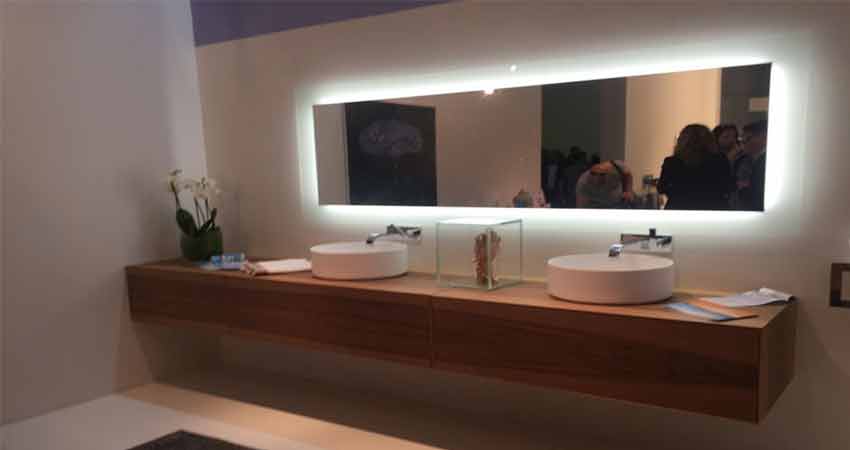
I don't get it either. If I was to buy LEDs, I would buy them and use them around the house. I have seen what some hotels do and it is amazing. I have seen LED strips behind the mirror, so when you wake up at night you can get your way around but don't get blinded by the light.
However, here we are, with people buying RGB fans and having their desktops on the desk taking up space and making more noise (because they are closer)... I don't get it either.
If that use case was interesting, check out also colour led light bulbs. Turning on a very dim red/brown light lets you see the way to the bathroom, but it's not enough to wake other up. Also when you turn red lights off, it doesn't kill your low-light vision.
I've read that putting an LED strip (or other light source, I guess) behind a monitor reduces eye strain. Can't speak to its veracity, but it would at least reduce glare!
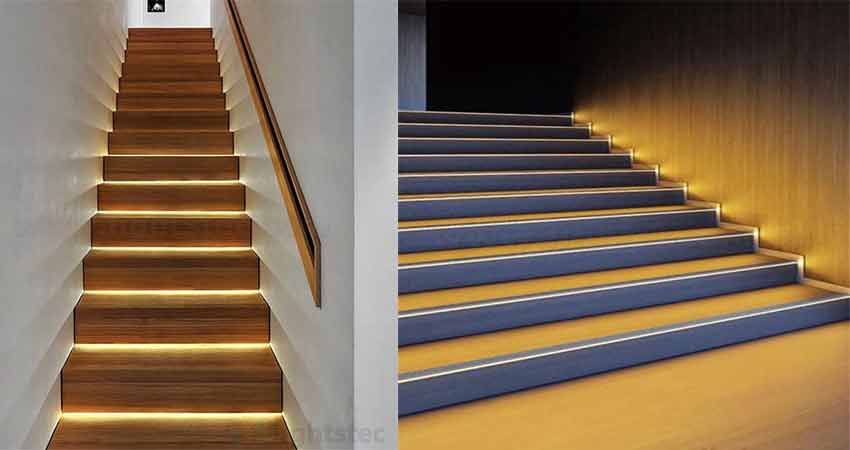
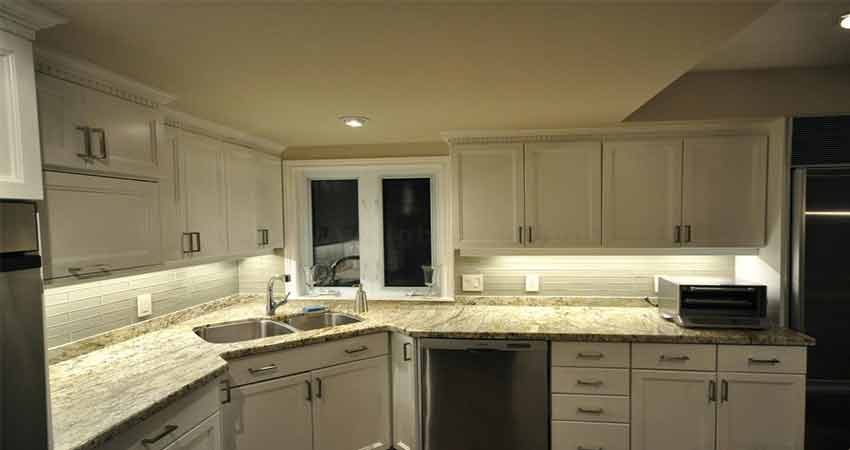
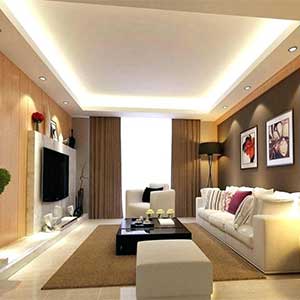
Absolutely! I have been dreaming about the mirror since I first saw it! I have found this brilliant website [0] that has many of the ideas I know of. Mainly the LEDs behind the mirror [1], on the stairs [2], on the kitchen [3], and the ceiling [4]. The ceiling ones are pretty cool because they can lit up the room more homogeneously and it makes it way more relaxing and comfy. Some of these ideas help to better simulate sunlight which I find pretty stimulating.
I know of a few more that are not on the website tho! I have seen led strips on closets (ala fridge style) that light up when you open them (With something like [5]). I have also seen the opposite of the LEDs on the ceiling, on the floor. Something like [6] but in the hall is pretty cool. When you finish watching that movie/tv show and go to sleep you no longer have to choose between finding your way in the dark and getting light at your eyes.
When I get my own place, I will certainly try out all of these ideas. I find them light (hehe) years better than LEDs on computers.
Huh? All of the components of my computer, both internal and external, have RGB built-in. It would be practically impossible to replicate that by just buying some dark blue LEDs, and there's barely any additional complexity involved with RGB components. There are literally only two additional connections in my machine due to the RGB, and those are for the LEDs in the case and the water cooler. Every other component uses the data lines it's already connected to.
Because then you have to wire it all up manually which is a lot of work and likely won't look good. No one sells fans, gpus and mobos in the exact color you want so its easier to buy RGB everything and configure it to be the color you want.
Installing openrgb is infinitely easier than wiring up LEDs inside fans imo.
But you can connect something like a CPU trigger to a led, so use 3 keys with 3 colors for CPU%, RAM%, SWAP%, then one blinking for disk IO, network IO and you get something very useful!!
For a full keyboard, you could have predictive input for the other as a typing assistant (ex: after pressing t,y put r in a strong green, e in a lighter green, p in a strong red, i,n,g in a lighter red : so typing and tyre are shown as 2 completions, with tyre less likely unless you work in mediterranean history and care about ancient cities)
I also find CPU/RAM monitoring not very useful to me. I used to put conky widgets all over the place, but concluded that it did very little. Most of the time I fire up htop, I'm looking to kill a process anyway.
I programmed one of my keyboard to be modal, and use the lighting as an indicator of which mode I'm in. Sort of like vim's status bar. It's pretty handy.
Exactly this! I don't want to waste screen space or CPU time to fancy widgets, but having a few leds that blink too much when my system does too many things is very handy. It's like in the old days of HDD leds: it didn't intrude, but I quickly knew what was going on if I looked at it. And blinking things have a tendency to catch your attention, so it removes the "monitoring" problem too (because, when do you know it's time to check htop?)
Linux LED triggers are very handy to do just than.
None of that stuff is particularly useful, if I wanted that, I have my screen that shows me metrics.. My desktop is a black box. I dont know why anyone would spend a second of their time looking at a tower, when the only moving part is a fan
The idea behind the trend is quite simple. It was already common to find colored lights on PC cases, peripherals, and components. With RGB, you can match colors across those parts more easily.
At least... that's the idea. In practice, it's actually quite cumbersome to configure everything thanks to a lack of hardware/software control standards. As a result, I usually don't bother with RGB. Hopefully this app helps to resolve that issue.
Yes. Also, why do people insist in wearing any clothing except baggy brown overalls, and any hairstyle other than shaved bald? Don't get me started on music that has melody, rhythm, and harmony to interfere with it. Aesthetics are such a waste of time and materials and there needs to be some formal accounting for taste.
I found this last week and was really happy to come across it. I ditched Windows for my main desktop/gaming machine in 2020 partially because there are some fantastic open source projects that replace many of the Windows vendor-specific utilities that look like they were designed by teenagers in the 90s.
Nice! If only that supported Corsair hardware (issue exists, not yet implemented) it'd solve an actual problem I have - years ago I configured my mouse buttons with some game-specific keycodes using the Windows software so I could throw fragmentation grenades and knife people more easily; years later on Linux I keep inadvertently typing 'f' like a seasoned Redditor.
I recently built a new desktop after my motherboard died. I was surprised that the cheapest cases, which were little more than steel boxes with cutouts for ports and fans, were more than twice the price of cases with side windows and half a dozen RGB fans.
I also followed posts for component sales and saw a lot of people complaining when a sale didn't apply to RGB RAM or some such.
I ended up buying a case with a side window and incredibly bright fans. I couldn't disable just the fan lights without an additional motherboard adapter, so I cut the LED leads on the fans and called it a day.
All this to say, am I alone in wanting my computer to be a plain box? All those extra lights are just distracting to me.
Edit: after a cursory glance at the comments, it's obvious I am not alone. Maybe I'm just curious why there's such a large market for light-up components.
Last night I had a conversation with a guy who destroyed his motherboard and cpu (!?) with OpenRGB. Apparently a few motherboards, if you probe certain addresses, will destroy the PC. He said it was total -- rebooting the pc wouldn't even get bios. Suprised that is even possible. I think OpenRGB mentions some of these edge cases on their page now and takes some effort to block those options. I thought it was interesting that such a failure can happen.
Finally! I'm eager to try this.
I always wanted to control my keyboard lights to have 'analog' notifications and stuff[1]. Never bothered to check the windows apps with wine.
[1] I was thrilled when some dev showed on twitter that he reserved some key lights to CI build status.
Not because I wanted RGB... I wanted a good keyboard, this was what was available.
I found the RGB useful to see what I am typing at night, problem is... I can't get the thing to behave as I want, and it requires the 'iCUE' program to be running at all times and that programs eats RAM like there is no tomorrow.
If this software lets me ditch iCUE and still have lights... I will certainly use it!
My plan is set my keys to have some darker glow (if possible... never tried) so I can see them on a pitch black room, and use the RGB part for information (like if I am running out of RAM or not...)
My keyboard uses the open source QMK firmware, which means that it's entirely open source and you can hack it to you heart's contents. At this point I'd never consider getting an expensive keyboard with a closed source firmware for the reasons you point out.
I don't care for backlighting much myself, but I often switch between dvorak and йцукен layouts and I use the backlight color to let me know what more I'm currently in. This saves a lot of time when I don't understand why I can't get past a password prompt...
I build my first PC in 10 years this summer. My work machine is a 16inch MacBook Pro and since I had a laptop and I was not satisfied with the performance of my Mac I decided to build a PC. I have nothing against RGB as it gives me the possibility to change the mood at my desk at will. So I thought. I made the grave mistake to buy RGB RAM and by the love of god the manufacture thought that it’s a cool Idea That the default pattern is the rainbow color animation. My motherboard can control RGB for most devices from Bios but not all! So I can configure that everything is dark at boot except the RAM. My grafixcard is also sometimes acting up and shows a single static color on some LEDs. That is all not so bad as long as I boot into windows. The tools on windows start up and set it to my preferred setting (some static color or off). But Linux is a different beast. I hoped OpenLED could help but it won‘t work with my hardware. I managed to get my RAM to show up (at that point my goal was to shut all down when in Linux) but it only finds 2 of my RAM slots. I have 4 modules and still room free for 4 more. Means I can only disable or set colors for 3 modules the rest rainbow circles still. I thought about replacing the RAM but at the moment I lived with the Lightshow.
I agree wholeheartedly. This trend might have made sense back in the 90s when LAN parties were still enough of a thing that you could want to show off how fabulous you are with RGB RAM and whatnot, but today I feel like it is just needless complexity added to things for the sake of having something to putz with.
Seriously, what value do people see in this stuff?
There's nothing more than that to worry about. If its not your jam, then don't get twisted knickers when someone else does.
I'm actually a little appalled at people who carry your & OP's sentiment. Is it really that hard to see that people like visually pleasing things in their lives? Have you ever painted or reorganized a room and spent time picking out the colours & details? Is your wardrobe 20 copies of the same shirt? Did you ever toss up the choice between different vehicles/bikes based on the looks?
I get the part how flashy in your face components aren't appealing, but you sort of have to be intentionally daft not not see why others might like it too.
In the extreme it's the Las Vegas aesthetic. Some people do seem to like it, and to others it screams "cheap fake bling". I think the latter group are frustrated that, just like dumb TVs, it's potentially getting harder to find visually quieter components.
I don't have a problem with other people using them, but it's started this strange trend where everything has LEDs on it, and some stuff (mainly fans) makes it difficult to disable. My case came with four pre-installed fans, which was great until they turned on and blinded me with blazing blue light. And since my motherboard only has one 4-pin PWM port, I couldn't control the LEDs independent of the fans. They were either at full brightness at all times, or fluctuated based on the fan speed.
I ended up cutting the LED leads on all the fans. It wouldn't have been an issue in the first place if LED/RGB stuff was an optional add-on instead of the default.
Painting walls and getting interior to your liking is somewhat different from setting up RGB lights on your hardware that sits inside an opaque (maybe with transparent sides) case, which itself placed usually out of sight. Same with peripherals (do you really stare at your keyboard while typing? If so, then I have bad news).
Walls and interior set the tone of room, and while you may not to look at it directly, it is in your vision at all times and affects your mood and behaviour.
However RGB lights on hardware is a lame attempt to force consumers into redundant expenses. After spending solid amount of time choosing parts and building your PC, installing and setting up OS, you have to make another choice regarding color of lightning. You would be endlessly changing it, until you feel satisfied for a couple of days/weeks, or even worse, thinking that is not enough and now the entire room should glow in a color matching currently opened browser tab. I prefer not to have this choice in first place.
Somewhat related to this, friend of mine had been bothering me for a whole month to help him settle on a tattoo sketch. When he finally got it, he was sure happy with it, but fast-forward to now and he remembers it only when somebody else notice.
> RGB lights on your hardware that sits inside an opaque (maybe with transparent sides) case, which itself placed usually out of sight.
No but people that want this don't have opaque cases, and are the 'unusual' ones not placing it out of sight.
FWIW it doesn't appeal to me either, I don't think I have any RGB, but I do have RAM styled like fighter jets or something, purely because it was the cheapest match for my criteria at the time (Corsair 'Vengeance' I think).
I don't see anyone's knickers getting twisted, just people sharing their opinions.
I will say that I find it (very slightly) annoying when I can find the exact part I want with LEDs but can't find it without. Lighting seems to be default on for the vast majority of components, so its existence forces me to deal with figuring out how to turn it off whereas a non-LED component just does what I want.
A lot of posters here say they just set it to a single color and leave it. Why the hell do they chose components with RGB LEDs integrated and software to control them [0] instead of just buying some stand alone LED lights in the color they want?
> Have you ever painted or reorganized a room and spent time picking out the colours & details?
Not really. I spent all of 5 minutes picking out paint colors for my house when I moved in, painted once, and haven't thought about it since.
> Is your wardrobe 20 copies of the same shirt?
Sadly no, but clothing to me is pretty much purely a functional consideration anyway. I pretty much never buy clothing unless I require it for some utilitarian purpose and wear clothes until they become too worn or damaged to wear anymore. If I had to throw out everything I owned and pick a whole new wardrobe, it would have 7 of the same shirt.
> Did you ever toss up the choice between different vehicles/bikes based on the looks?
It's never come up because every vehicle I've ever bought, bikes included, was bought used. If it fits the price range and has what I'm looking for I don't really care what color it is.
I get that other people aren't like that and put what to me is far too much significance on such things, but what I don't get is the added frustration and complexity for such paltry benefit that computer controlled RGB components gets you. It's like people who buy IoT devices and go through all the setup and troubleshooting and just kind of accept that sometimes they don't work because of an issue with the cloud.
[0] Which works so well that these same people are really happy someone made an open source alternative.
> A lot of posters here say they just set it to a single color and leave it. Why the hell do they chose components with RGB LEDs integrated and software to control them [0] instead of just buying some stand alone LED lights in the color they want?
Even if you only set it to one color (a perceived static aesthetic) it's nice to have choice for that one color: a) find exactly the color you want and b) alter it later if your taste changes.
Like most things sold these days, it's not enough for it to work it has to be part of your identity. It has nothing to do with the function of the machine, but how it makes you feel and what it says about you as a person.
It's really not much different than any other hobby where people show off their work. Mechanical keyboard folks sometimes have many keyboards with all kinds of differences and I can't imagine they use most of them, but the design (combo of frame, keycaps, switches, etc.) gives them something to show off to others.
How do I know if an actual product supports RGB or just using colored diodes? I use a throwaway chinese mechanical keyboard in my workshop and each row has different colors, idm that much but I wonder if I can change the whole keyboard to one color cuase otherwise that's not possible https://www.aliexpress.com/item/32812344569.html
Been using the project for a year now and submitted a few patches. It's a fun project to hack on, so would recommend getting involved if this sort of thing interests you.
Regarding the value of RGB, honestly one of the cooler uses which the projects been enabling is showing things like system status on your devices. And beyond that, getting a cool pattern or mode implemented is just a fun weekend project.
- My takeaway was the fact that I got to see someone using git lab instead of github. Maybe I tend to look at the completely wrong articles on HN...
- I don't care for the RGB craze. However, I love the documentation on this project's README. Look at those finely tuned bullets and lists! It makes me want to dive into the code! Nice and tidy!


We put windows in our boring grey computer cases and bought blue LEDs for 2 EUR a piece to light up the internals. As LEDs were so expensive we often opted to use CCFL tubes. We put electroluminescent wire everywhere, even into keyboards. We built our own fan controllers from scratch to fit into a 3.5" slot. People payed 200 EUR for PC cases from LIAN LI and Cooler Master just to mod the shit out of them. Watercooling just became a thing and it was hugely expensive, the PC cases didn't have a place for the radiators so you had to get creative with your power tools. We went to LAN parties with our awesome machines, we organized collective orders in our case modding forums to buy cheap LEDs from china. We were amazed by the latest products, like LED fans that flashed the light in synchronization with the fan RPM like a zoetrope, so it appeared to stand still.
We couldn't even dream of a keyboard with individually RGB keys back then and now you get RGB in everything without even wanting it. Mass production has taken over and all the magic is gone. You just buy it and yeah it looks cool, but whats the fun in that if every PC looks the same - thats exactly what we didn't want, we wanted to be different.
Fun times though!